
Overview
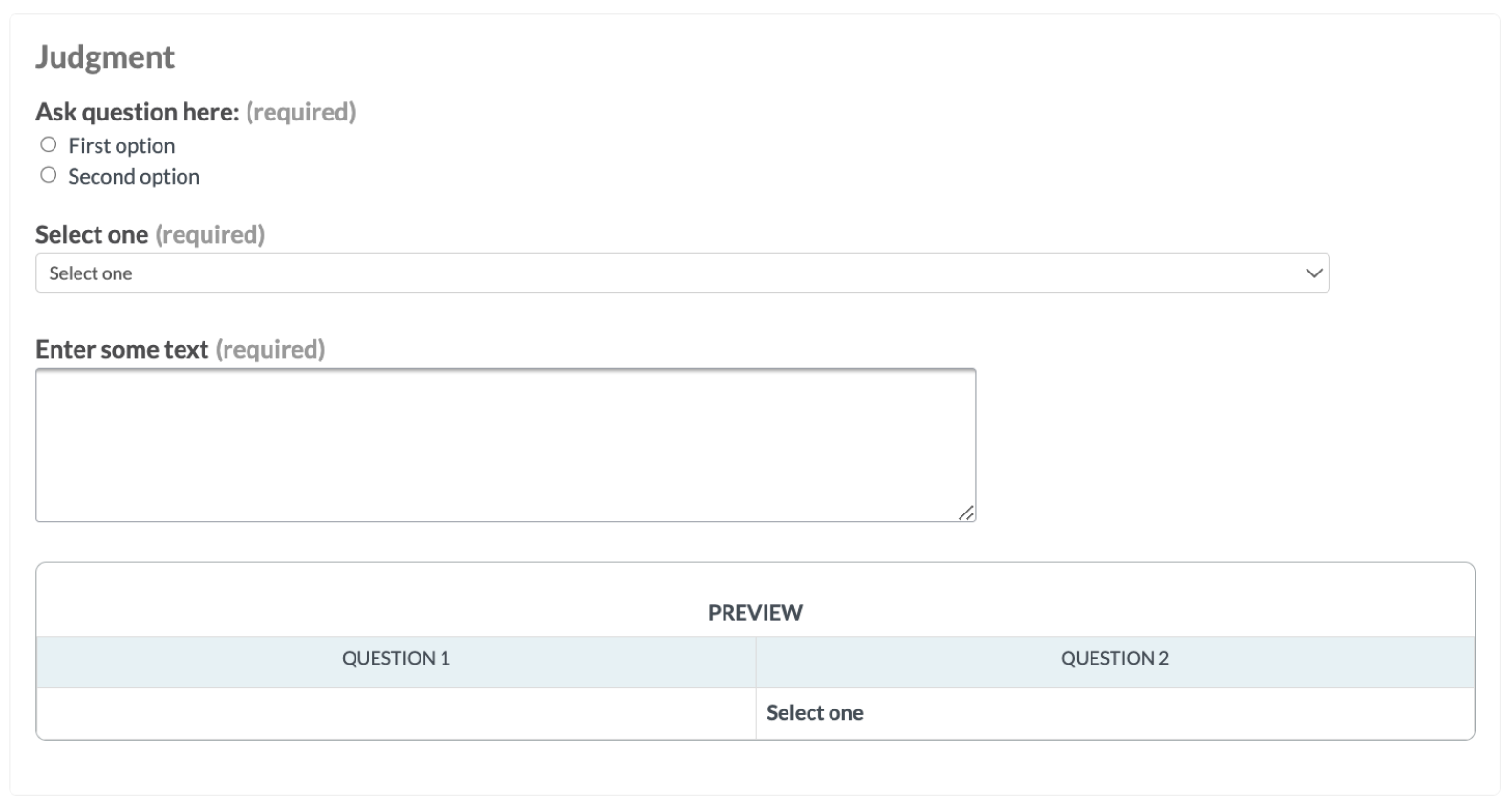
The cml:summary_table CML tag provides a comprehensive overview of all form and text elements within a job, automatically populating as contributors fill out the job. This feature allows contributors to spot-check their work before submission and enables QA contributors to quickly review the work of previous contributors, ensuring accuracy and efficiency.
Form & Text elements supported:
-
Checkbox
-
Checkbox group
-
Multiple choice
-
Dropdown
-
Ratings
-
Smart text
-
Text
-
Textarea
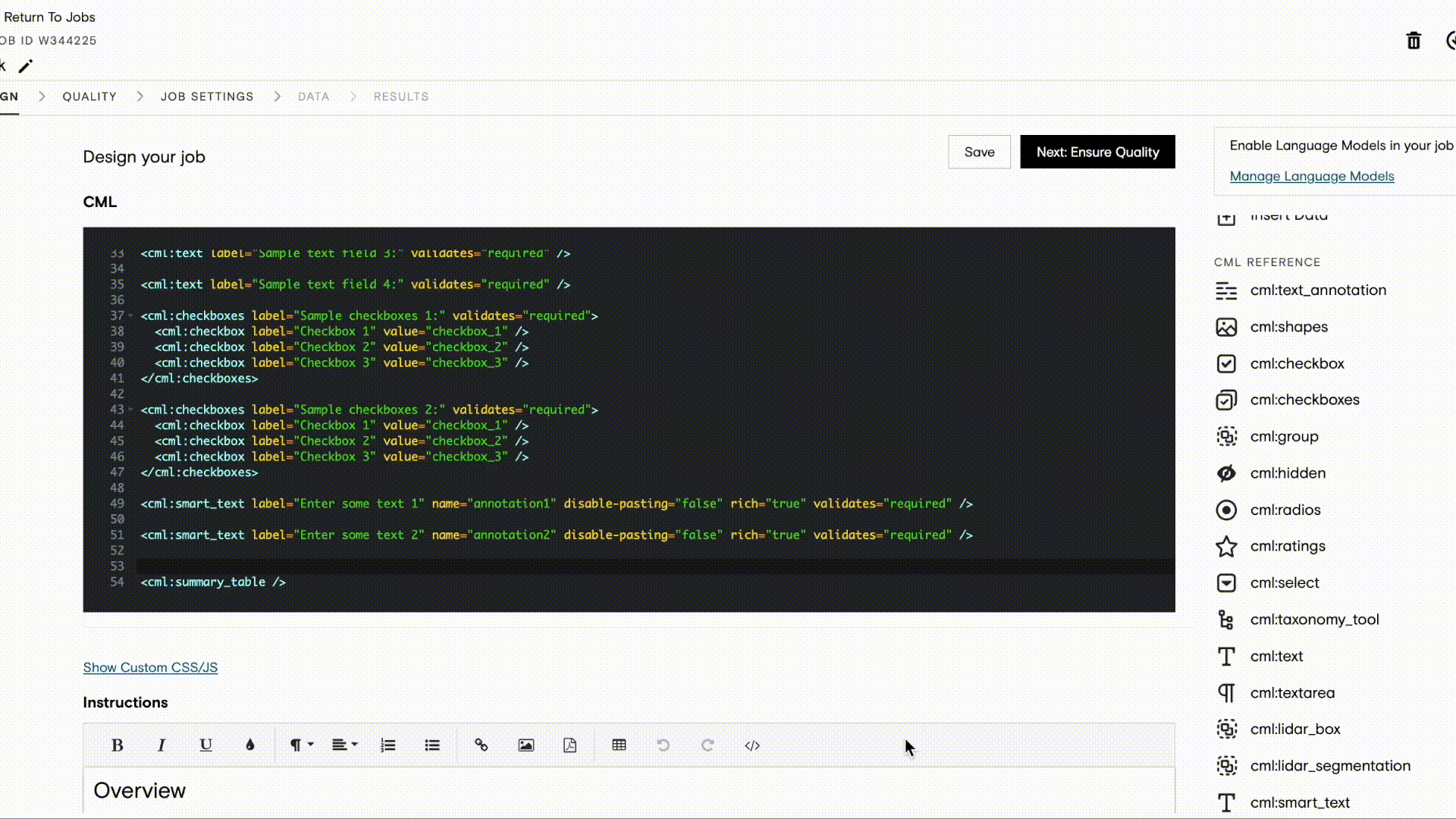
How to configure the tool
Step 1: Create and design your job either through the CML or through the graphical editor.
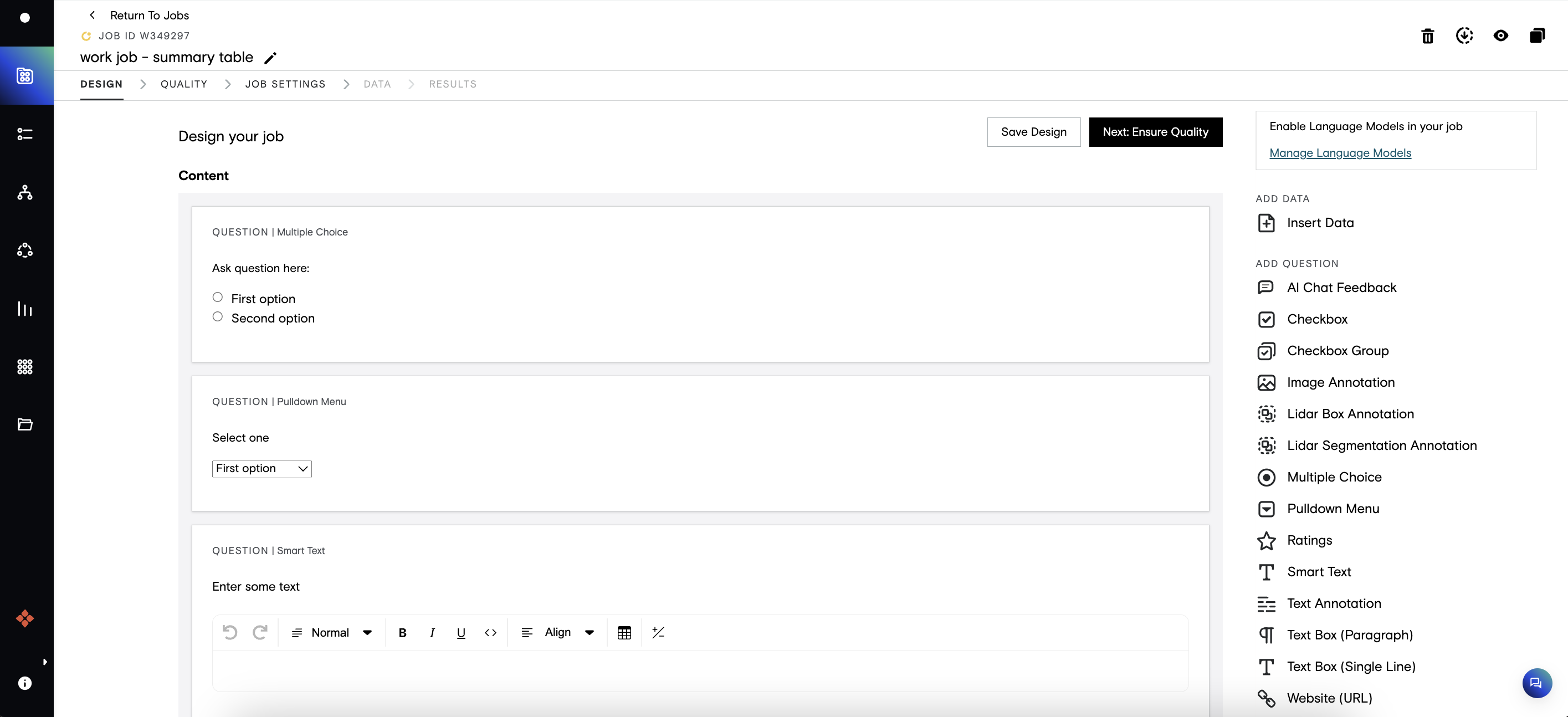
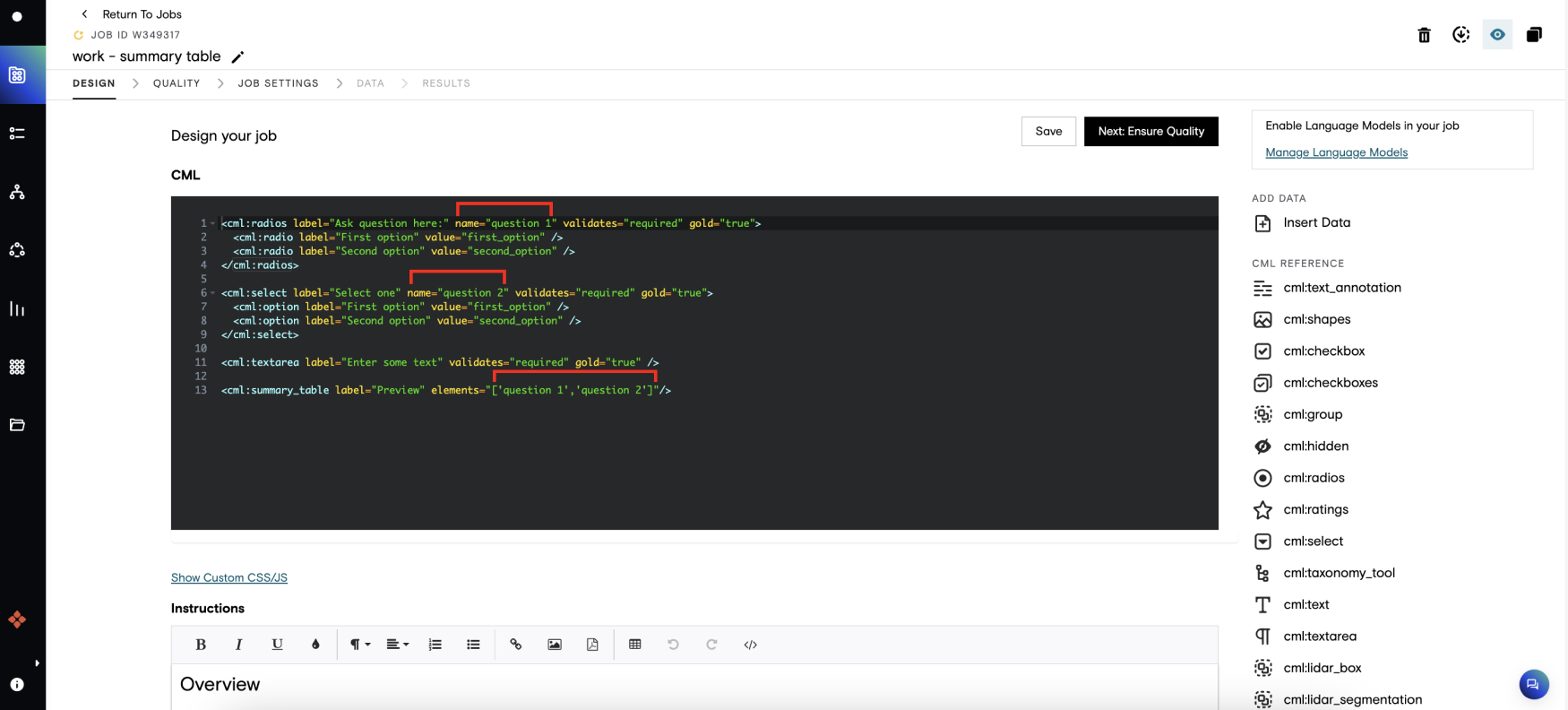
Step 2: Switch over to the CML if you’re not already, and add <cml:summary_table/> tag wherever you want to place the table in your job.
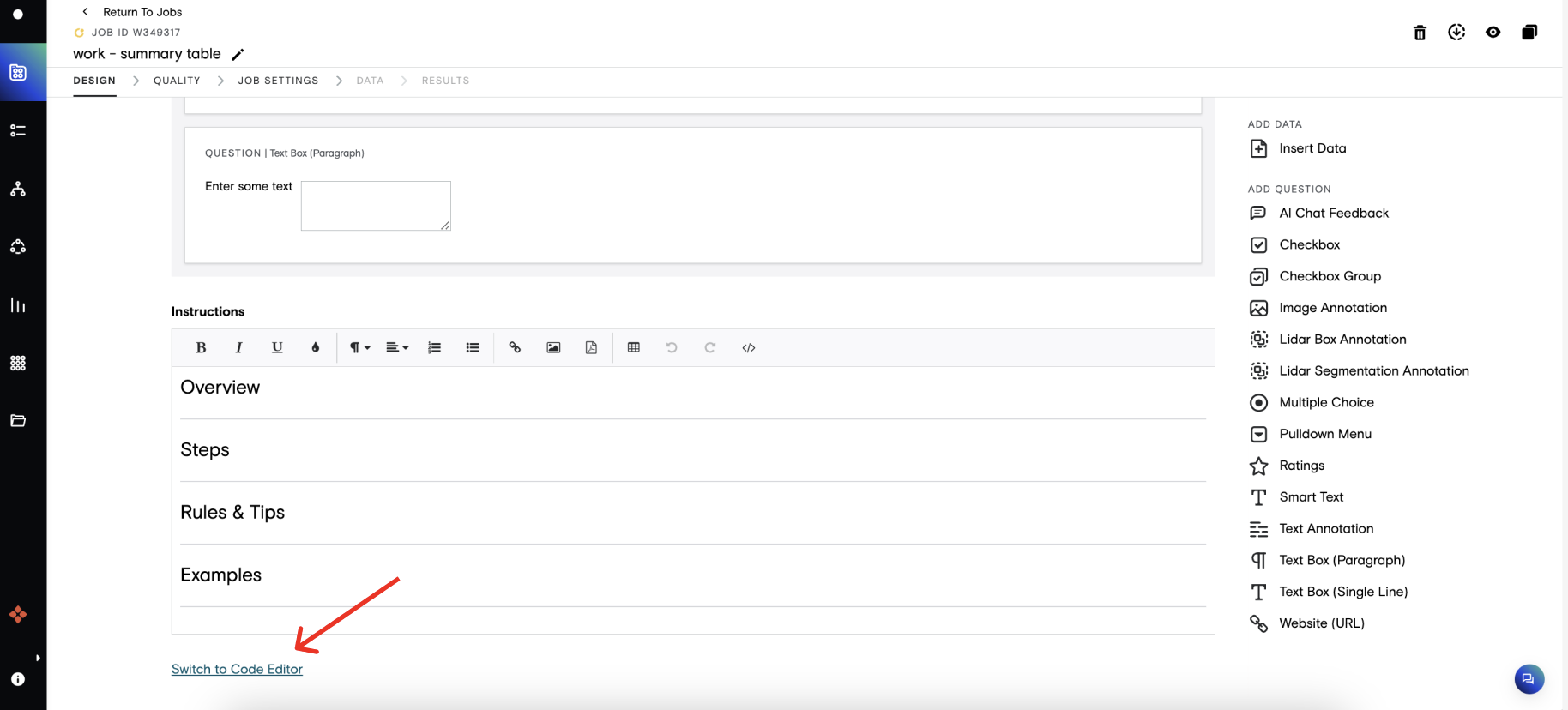
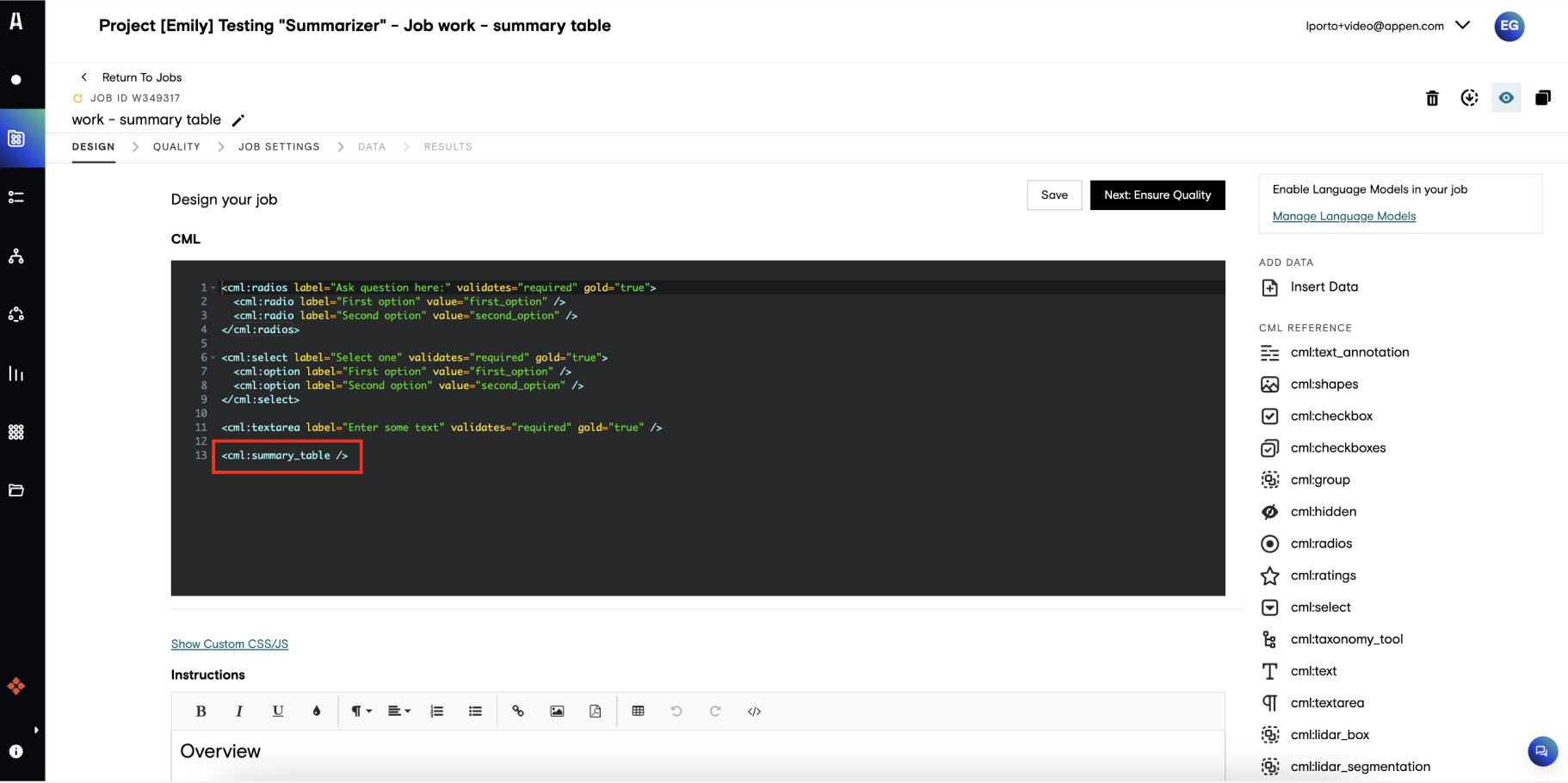
Step 3 (Optional) - Customize the table title using the label parameter and/or utilize the elements parameter to specify which specific form/text elements you want to include in the table.Unknown Attachment
Parameters
label (optional)
-
Customizes the table title.
-
Defaults to "Summary" if not included
elements (optional)
-
Represents the form and text elements you want to include in the summary table, specified as an array of name references from the
nameparameter in each element tag. -
If the
elementsparameter is not included in the CML tag, all form and text elements configured in the job design are included in the summary table. -
The title of each element cell references the
nameparameter in each element tag.