While a Job is still being created in Quality Flow Projects it is in a Draft state. In Draft state all of the design is still editable and all of the settings are still configurable.
If you want to change some editable configurations (or stop the Job from being visible to contributors) you can set the Job back to "Paused", make the changes and then resume if necessary.
This table summarises the main things to be aware of while jobs are in certain states, while the remainder of the article describes how to change job states.
|
|
Draft |
Paused |
Running |
|
You can configure and modify most Settings |
yes |
yes |
no |
|
Note: Judgments per Row/Dynamic Judgments |
yes |
no |
no |
|
You can modify the job design |
yes |
yes |
yes |
|
The job is open to contributors |
no |
yes |
yes |
|
You can send units to the job |
no |
yes |
yes |
|
Units will automatically route to the job |
no |
yes |
yes |
Move your job from Draft to Paused
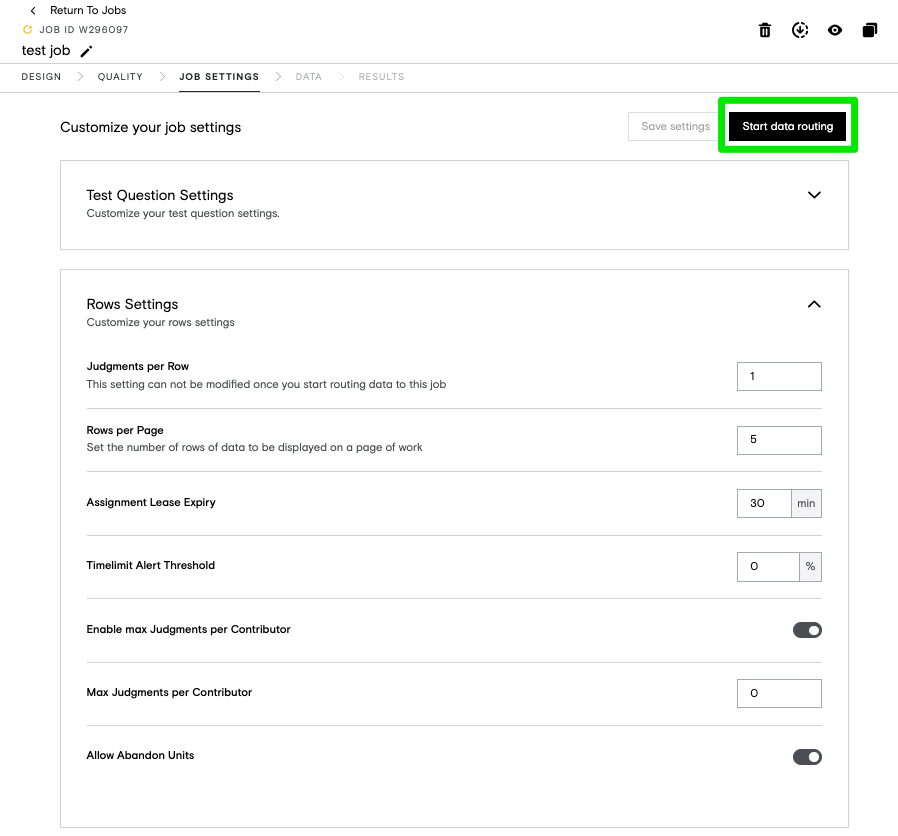
Once you are happy with your job settings configurations, you will click on the "Start Data Routing" button at the top right of the JOB SETTINGS page. This moves the Job state to "Paused". Once a job is in Paused state, some configurations are no longer editable, see the table above.
You are able to move units into the Job and units will flow according to any automatic routing you have set up (if units do not start to flow within 15 minutes, please contact support), but the job will not yet be visible to contributors.
Run your Job
The final step is setting the Job status to "Running". When the job is running, you can still modify your design but the rest of the settings are not configurable.
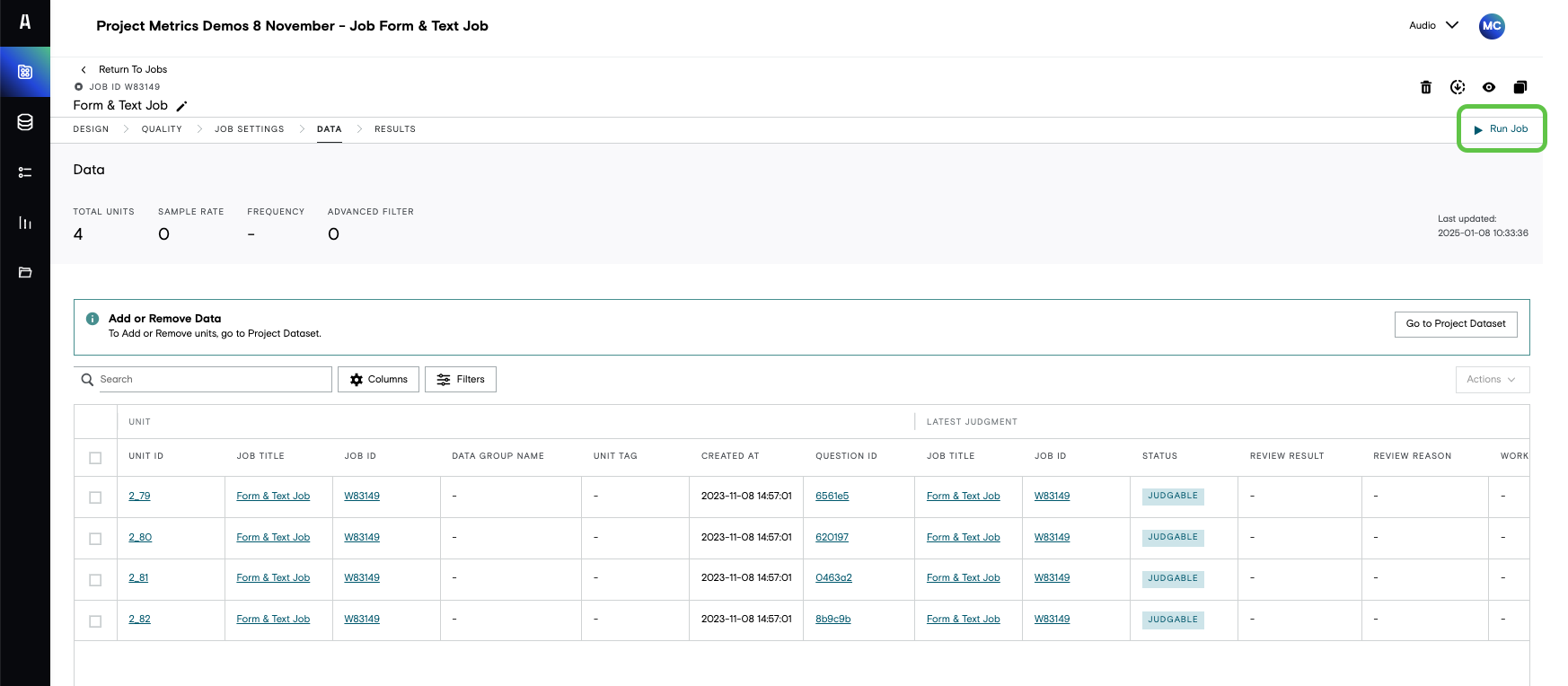
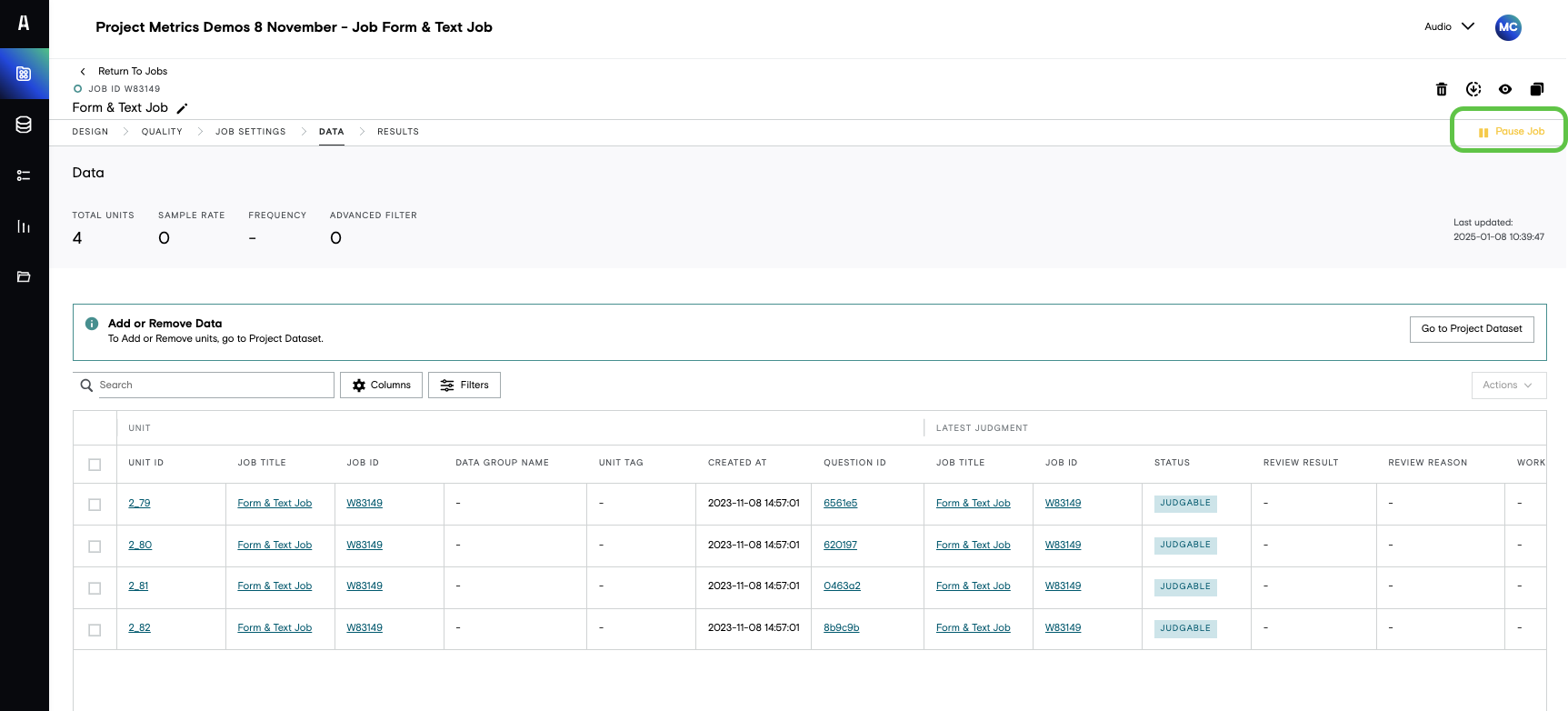
To switch between states there is a button at the top right of any tab within the job (in the examples below the data tab is displayed). When a job is Paused this button will display "Run Job", when a job is running this button will display "Pause Job".