There are two ways to copy Quality Flow Projects: from the Projects list, and from within the Project via the header
-
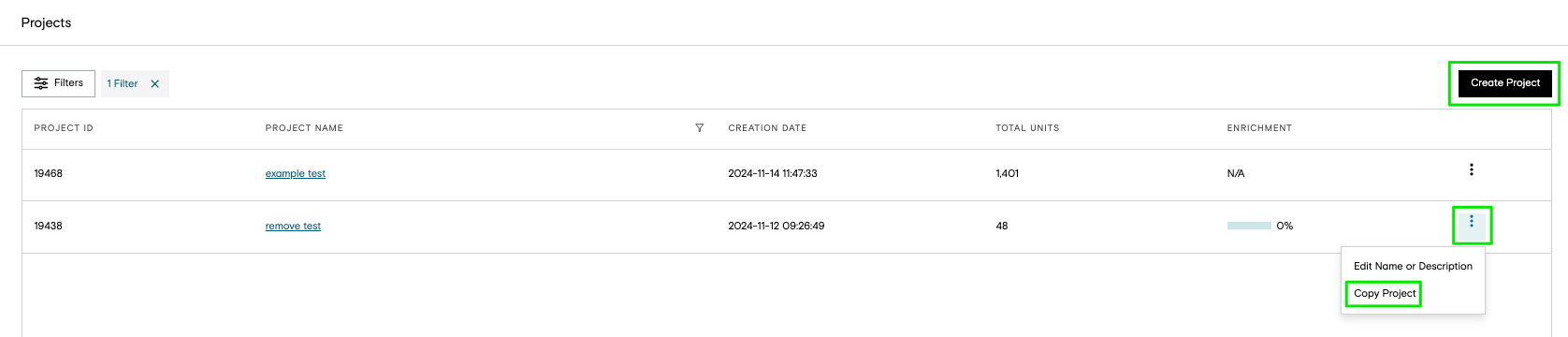
To copy from the Projects list, click on the three dots and select Copy Project
-
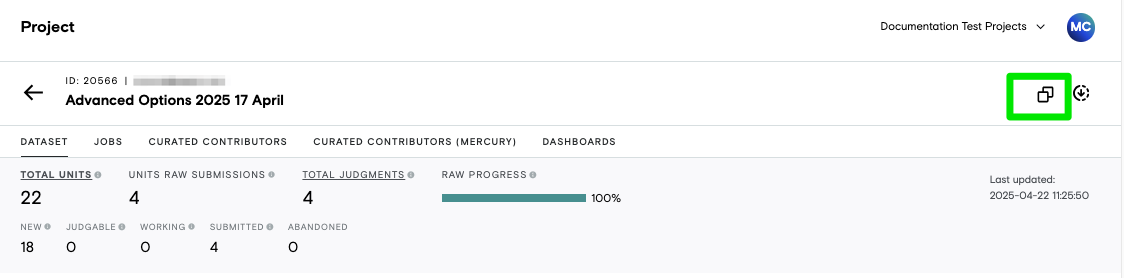
To copy from inside the Project, click on the Copy icon at the top right at any of the Project level tabs
-
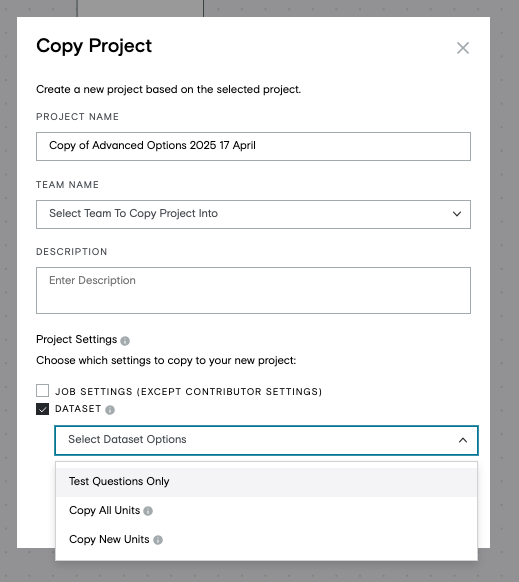
In the modal that pops up:
-
Give your new Project a unique name
-
Choose which Team to copy the Project into
-
Teams that you are able to copy into will be listed in the dropdown
-
-
Optionally give your Project a description
-
Choose which options you want to copy over
-
Copy Job Settings (except Contributor Settings)
-
each job's contributor settings should be verified every time
-
-
Dataset
-
Test Questions Only
-
Copy All Units
-
all units including test questions
-
note existing judgments will not be copied over
-
-
Copy New Units
-
only those units that have not been worked on yet
-
-
-
-