
Overview
The Text Relationships tool (cml:text_relationships) allows users to create a job that annotates relationships between spans of text with a custom ontology, please contact your Appen representative to gain access.
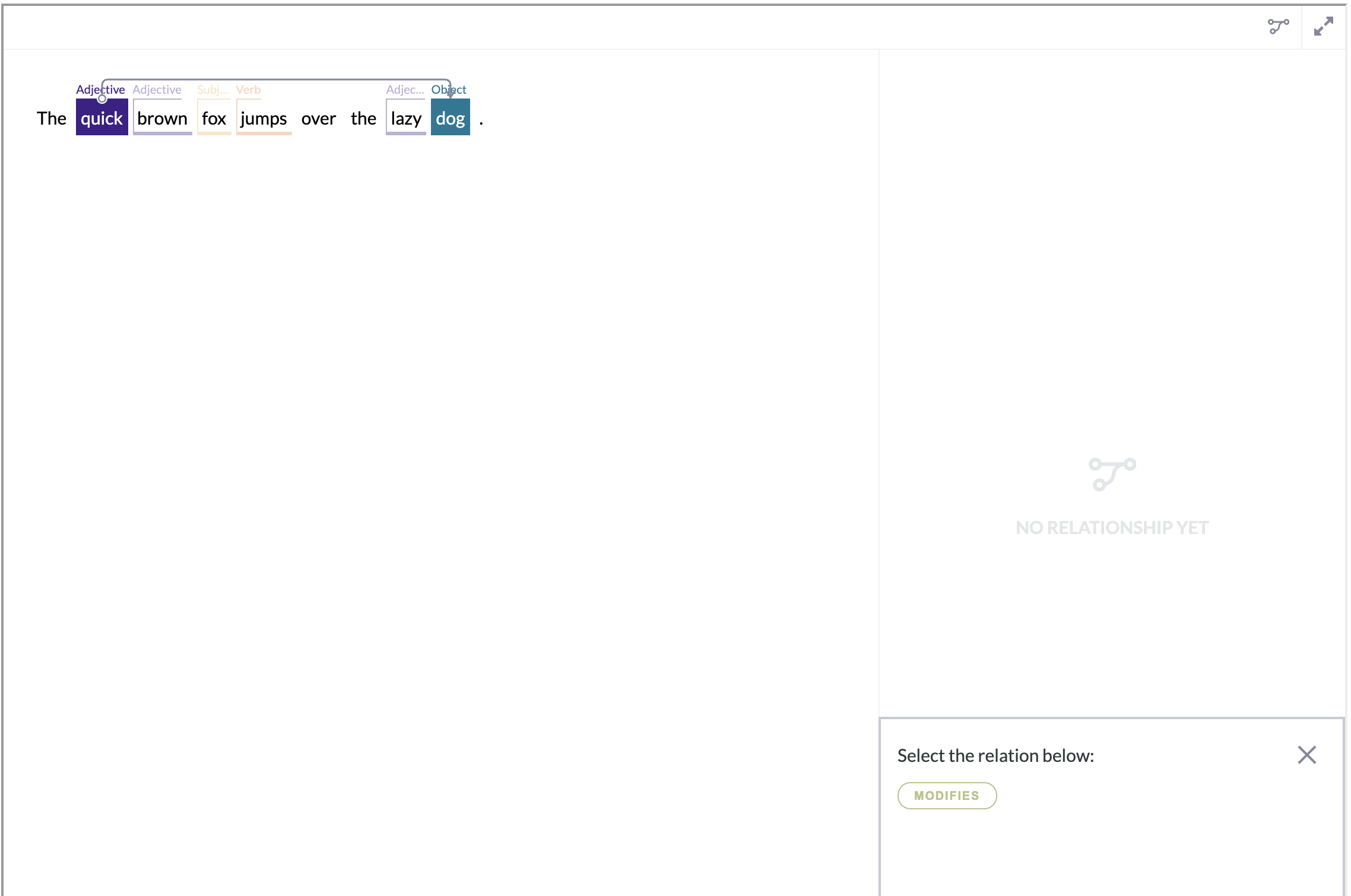
Glossary
-
Span - a string of text with an assigned class label; the output of a model or contributor judgment.
-
Relationship - consists of two spans (from a span and to a span) and the relation between them.
-
Relation - the name/type of the relation between two spans as defined in the job's ontology.
-
From span - the starting span in a relationship
-
To span - the ending span in a relationship
Upload Data
The source data of a Text Relationships job can come from two different sources:
-
The output of a previous text annotation job on the Appen platform
-
The output of a previously ran text annotation job on the Appen platform can be uploaded to a text relationships job directly without any modification.
-
-
Data created externally
-
A source file containing data created externally can be uploaded to a text relationships job, but an identical JSON format (hosted in a URL and a CORS configured bucket) as the output of a text annotation job on the Appen platform will be required.
-
Note: There is an example file attached below on how to format source data.
Build a Job
Parameters
Below are the parameters available for the text relationships tool. Some are required in the element, some can be left out.
-
source-data(required)-
The name of the source data column containing the data to be annotated
-
-
name(required)-
The result header where the result links will be stored
-
-
context-column(optional)-
The name of the source data column containing the context of each data row
-
-
review-data(optional)-
The name of the source data column containing pre-annotated text relationships
-
-
task-type(optional)-
Please set task-type=”qa” when designing a review or QA job. This parameter needs to be used in conjunction with review-data . See this article for more details.
-
-
direction(optional):-
Renders text in a specific direction
-
Accepts
rtlandltrfor right-to-left and left-to-right scripts respectively -
Defaults to left-to-right if not set
-
Ontology
-
The Ontology Manager allows job owners to create and edit the ontology within a Text Relationships job. Text Relationships Jobs require an ontology to launch.
-
When the CML for a text relationships job is saved, the Ontology Manager link will appear at the top right of the Design page.
-
The ontology of Text Relationships jobs allows you to create relationship restrictions to each span class.
-
The ontology of a Text Relationships job can be copied from a Text Annotation job or another Text Relationships job, via download and upload.

Ontology Manager Best Practices
-
The limit of ontology is 1,000 classes, however, as best practice, we recommend not exceeding 16 classes in a job to ensure contributors can understand and process the different classes.
-
Choose from 16 colors pre-selected or upload custom colors as hex code via the CSV ontology upload.
Important Note: If there is no relationship restriction defined to a class, the class will not able to relate to any other classes in the job.
Nested Spans
Text Relationships tool (cml:text_relationships) supports nested spans. However, there is one restriction for creating relationships for nested spans.
Consider this example:
Here we have one root span
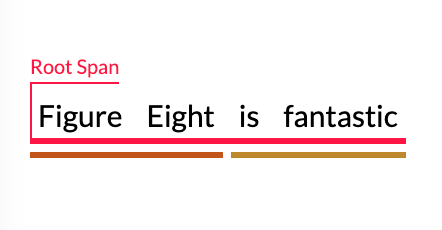
and two sub spans.
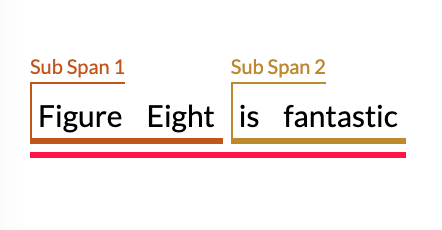
We can create Relationship between sub spans
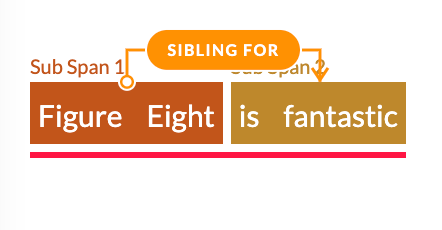
But between the root span and the sub span we cannot create a relationship.
Results
-
Results are links to a JSON file that contains a list of relationships.
-
The links are found in the Full or Aggregated report under the column header that was specified as the value for the name attribute.
-
Result links will expire 15 days after generation; to access results after the links have expired, you will need to re-generate the result report.
-
Each relationship instance is an array of five attributes:
-
id: the unique ID of each relationship instance -
name: the class name of the relation -
from_span: contains the details of from_span -
to_span: contains the details of to_span -
annotated_by: indicates whether a relationship instance is pre-loaded into the job or manually added by an annotator
-