Appen’s "My LLM Journey" will support you in customizing your unique large language model-enabled (LLM) applications. With streamlined model connection and usecase templates crafted by experts, we guide you through the best practices and challenges of LLM adoption.


(Note the Appen Data Annotation Platform is getting a new look & feel. Explore the new experience by switching between Appen logos at the bottom of your global navigation (see this article.)
Once this feature is enabled for your team, you will be able to access it via the circle icon in the global navigation sidebar. Click on the icon and you will see five tabs:
Please see this article for guidance in using the templates, once you have chosen your usecase.
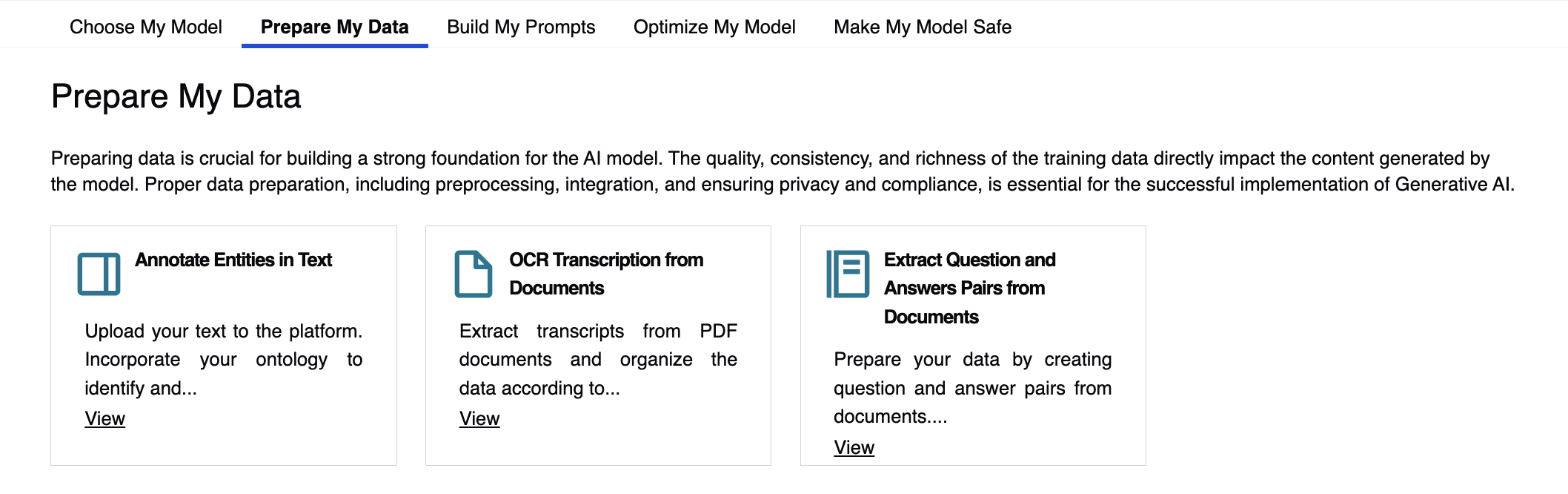
Prepare My Data
In this section, you will find three templates designed to help you extract valuable data from your existing documents. You can annotate entities in text, extract transcripts from PDFs or create question-answer pairs from existing documents.
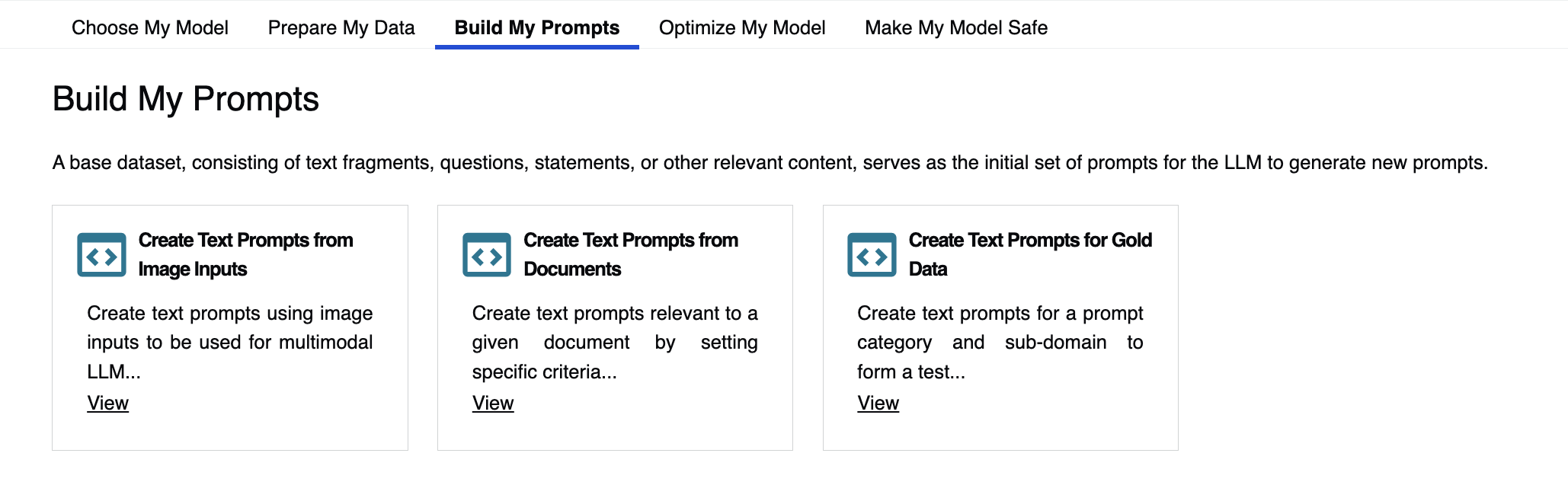
Build My Prompts
We propose three templates to help you craft prompts for LLM alignment, using images or text data. These prompts will be a warm start for your model to generate additional prompts.
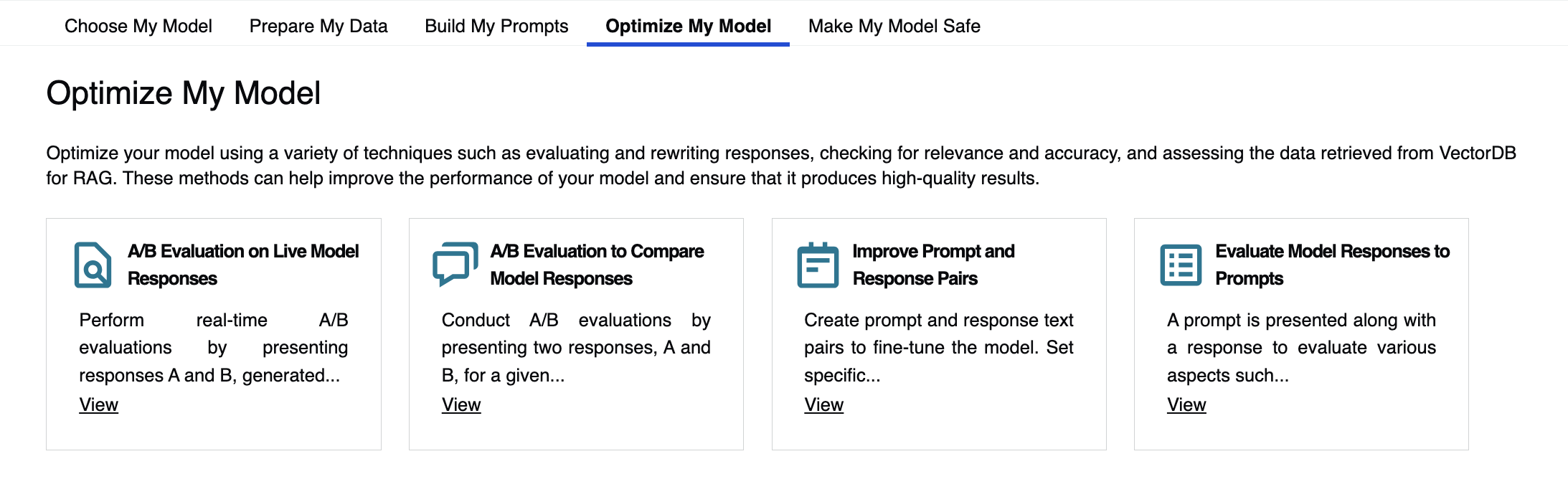
Optimize My Model
Optimize your model using these templates enabling you to A/B test live or pre-generated conversations. Go a step further and correct models' answer to improve your model's performance and alignment.
Make My Model Safe
Connect with your model through our AI Chat Feedback tool to engage in live conversation, push your model to its limits and evaluate its answer using your tailored ontology.
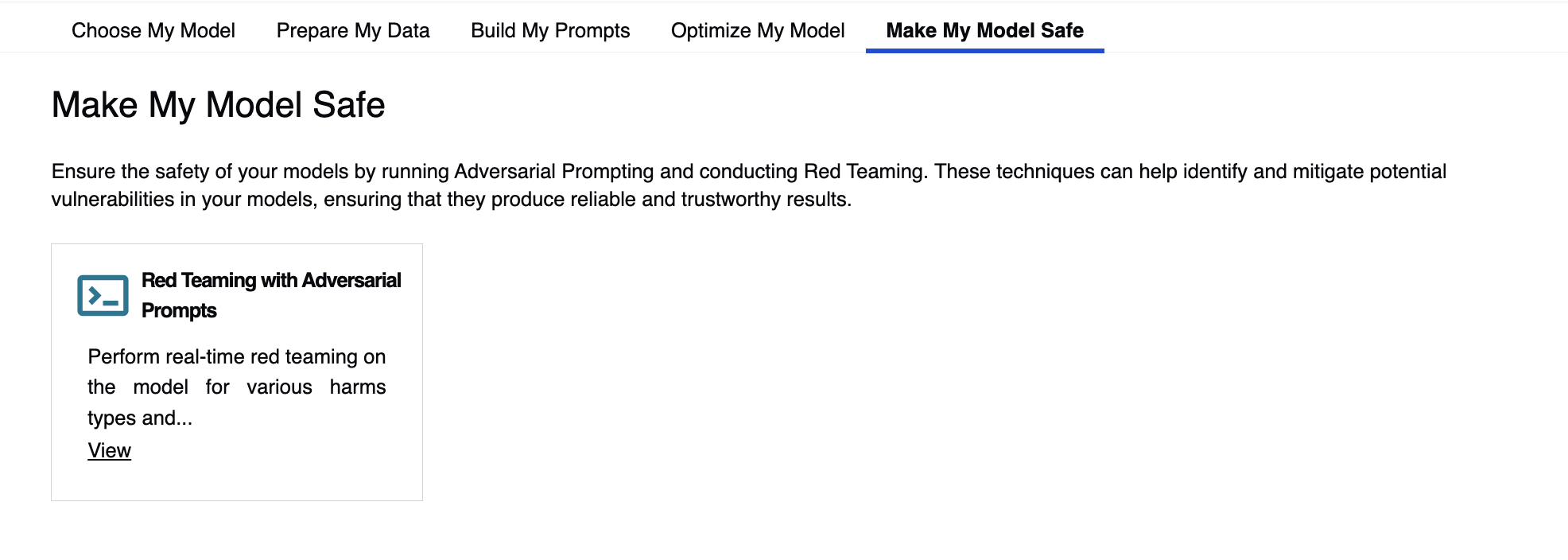
If you do not see your exact use case in any of these tabs, please reach out to your Appen contact to discuss customization options.
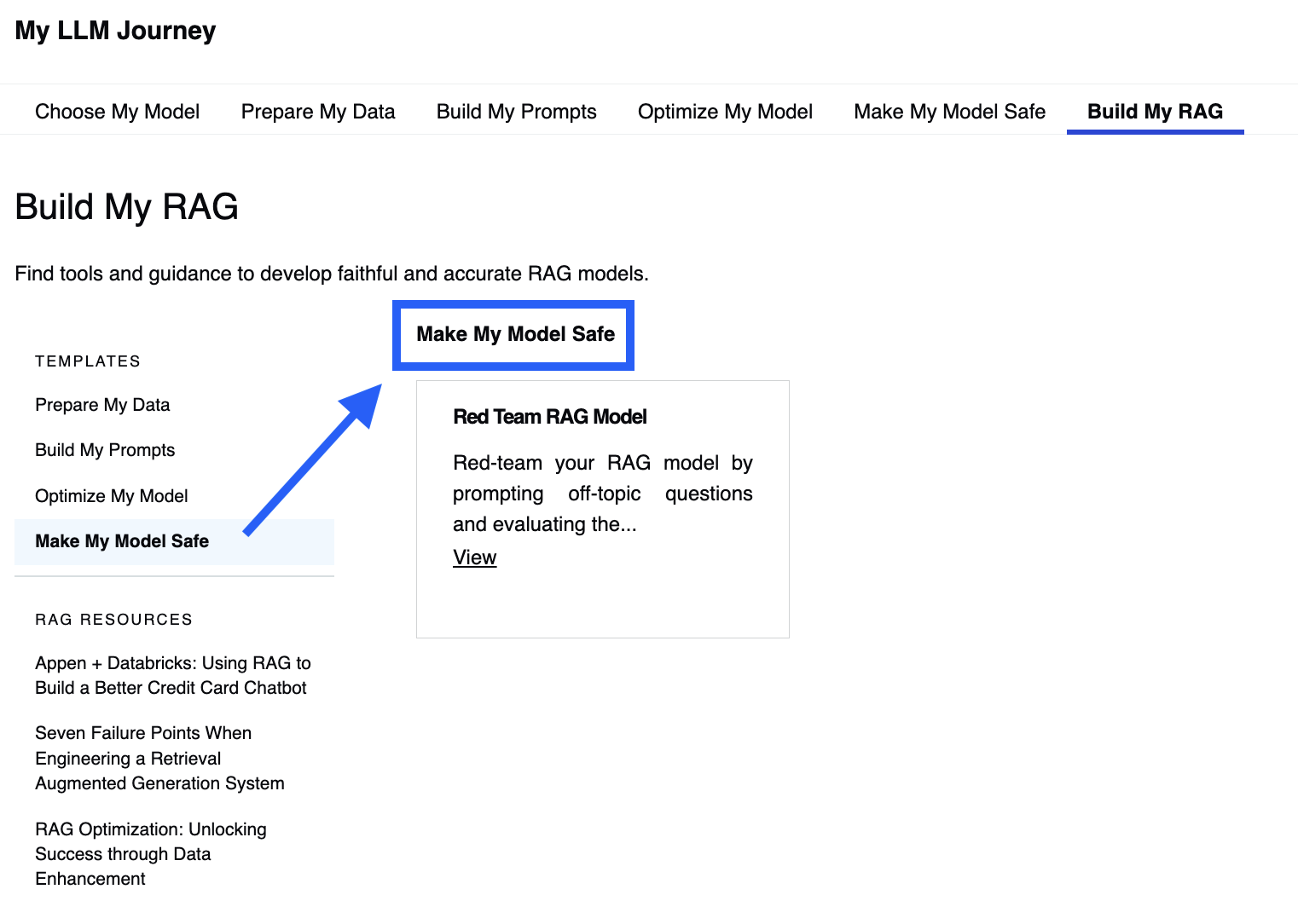
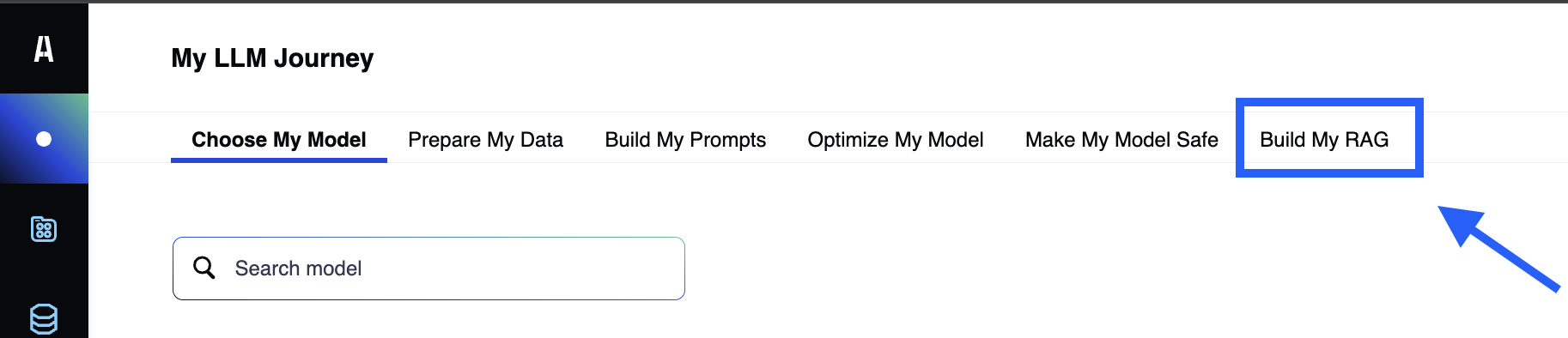
Build My RAG
Access our 19 different Quality Flow templates and practical resources to help you start and navigate your RAG journey.
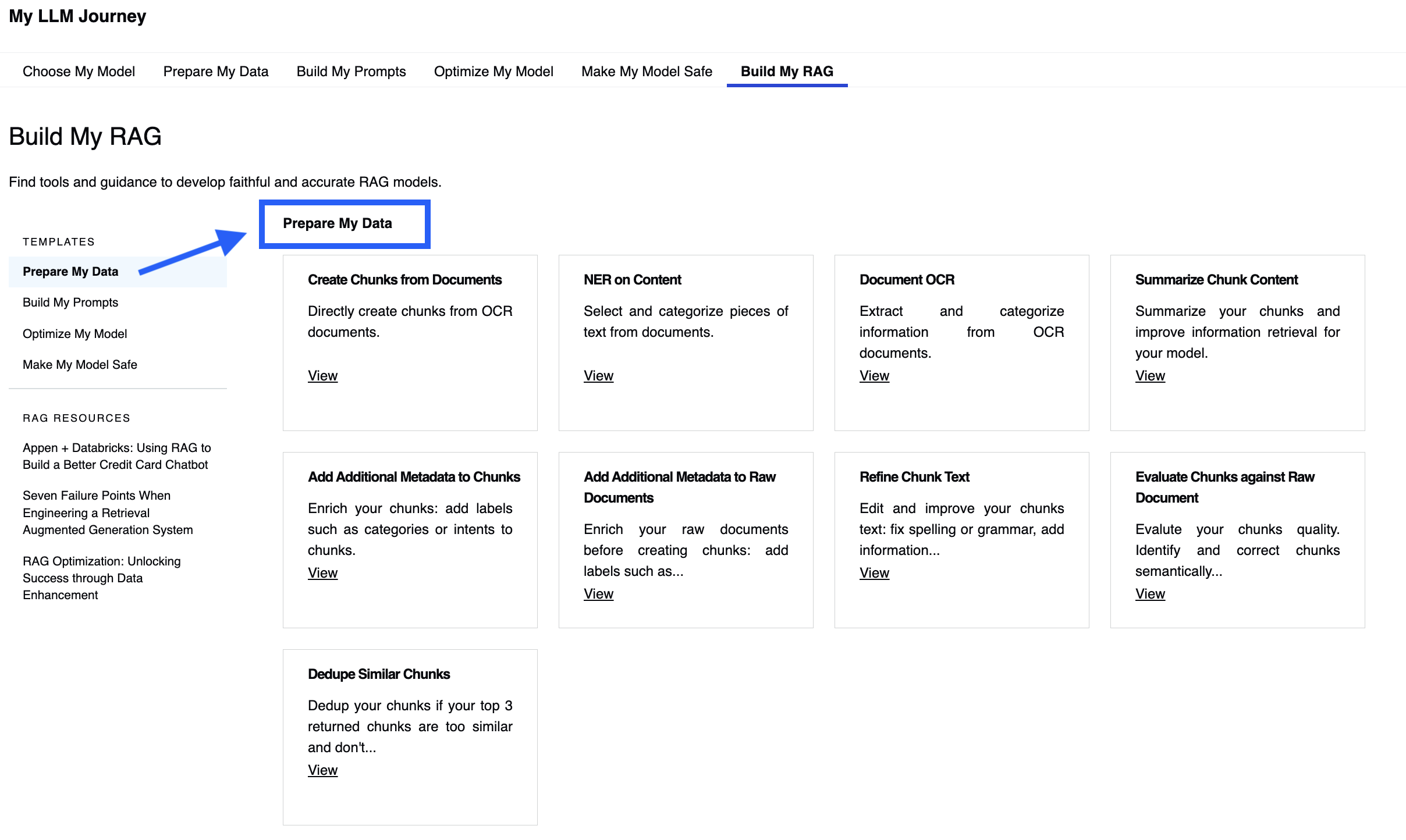
Prepare My Data
Use one of these 9 templates to improve chunks of information that you will use in your embeddings: segment and enrich your documents into coherent and relevant units to fuel your RAG models.
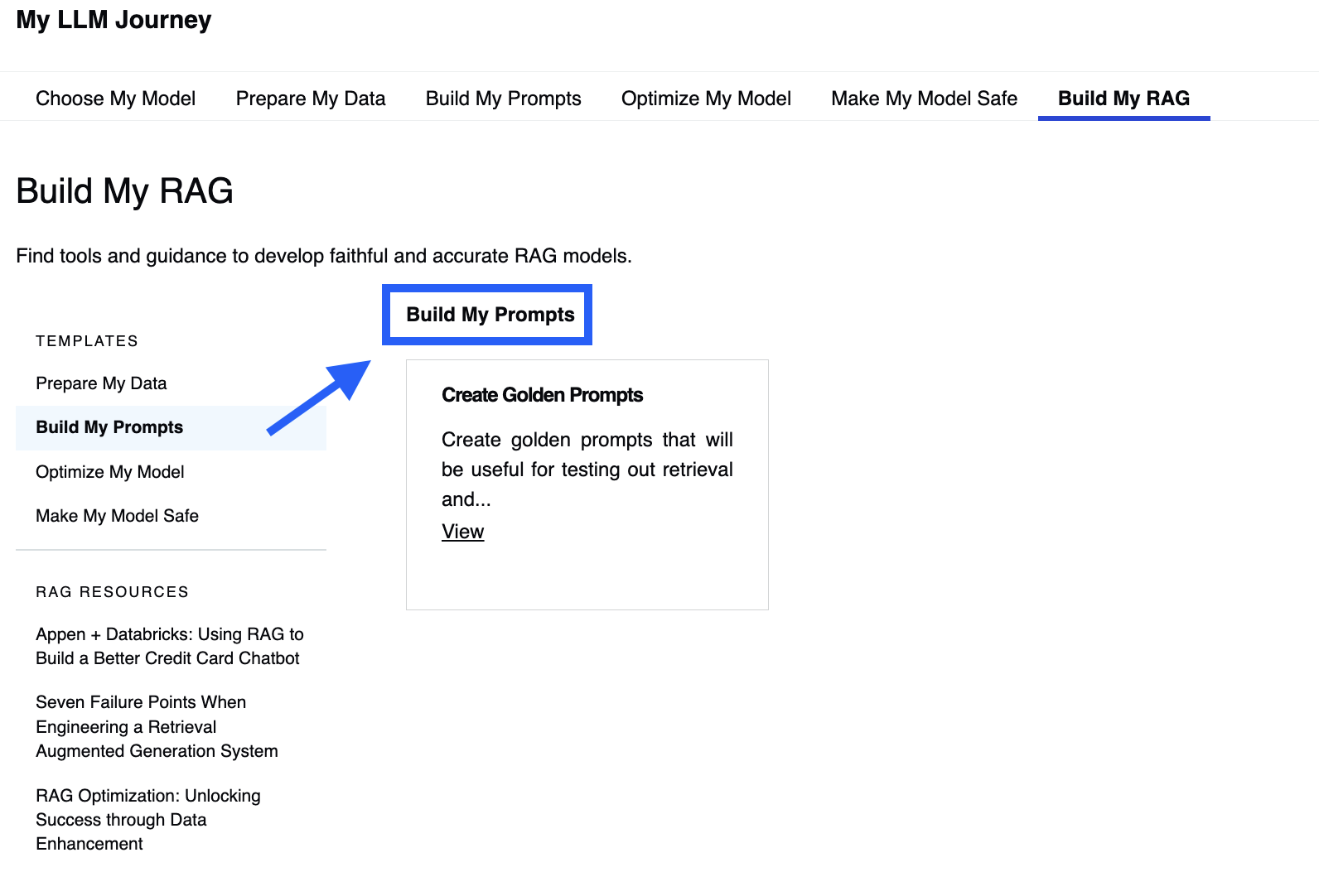
Build My Prompts
This template enables you to design effective prompts that can elicit the desired answers from the RAG model and evaluate its quality.
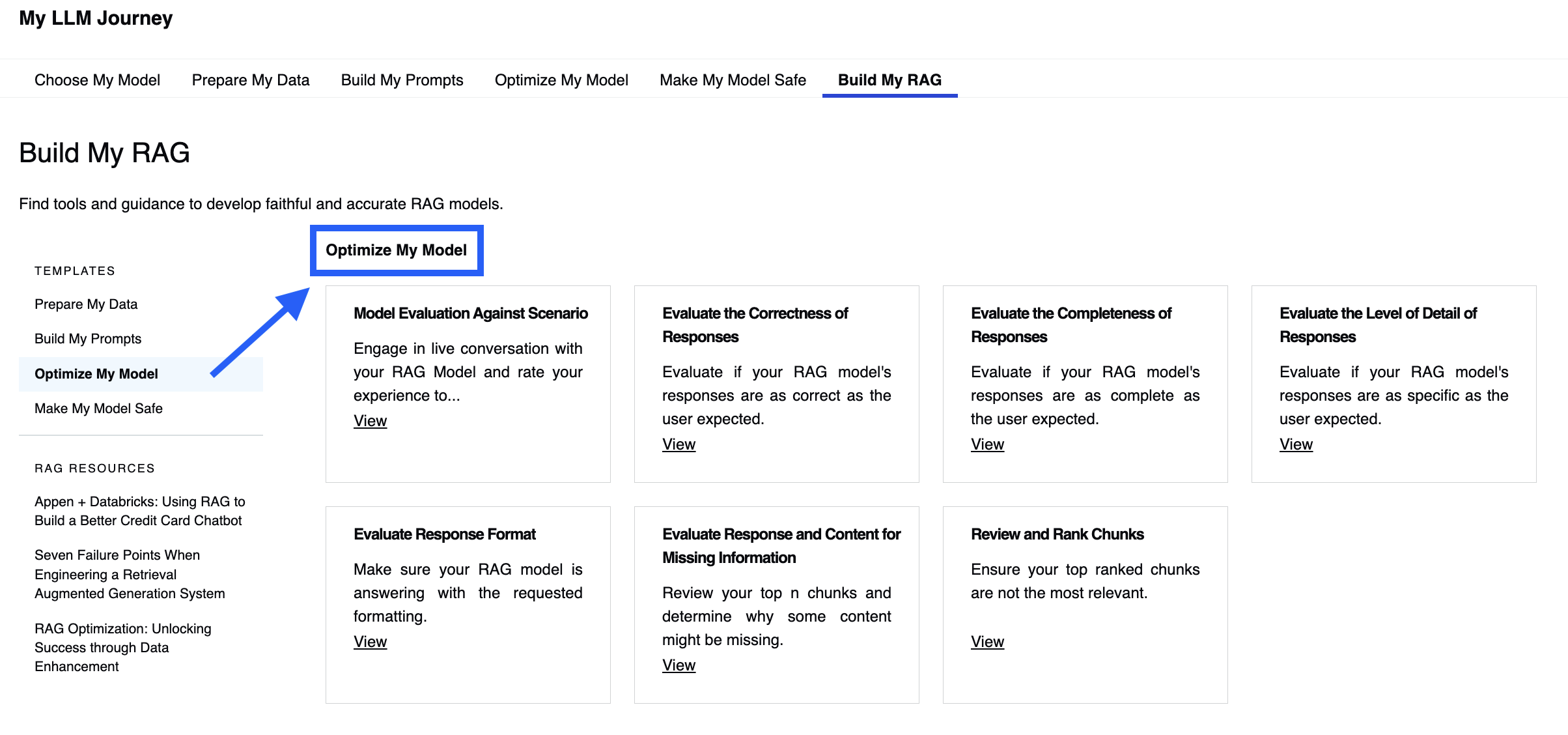
Optimize My Model
Evaluate, rank and correct your RAG's answer with one of these 7 templates, and improve your model's accuracy.
Make My Model Safe
Red-teaming your RAG model is paramount: use the AI chat feedback based template to test your model's robustness and reliability before deploying it to the real world.