Email
Please send an email to help@appen.com to report any issues/bugs or general queries. A support agent will investigate the issue and escalate as required. When reporting issues/bugs please make sure you include the following information in your email:
-
Job ID - Job ID(s) which are affected by the issue
-
Description of issue - A detailed description of the issue, expected behavior vs current behavior. Please list the tools that are affected by this bug (annotation, workflows, transcription)
-
Impact of issue - The impact this issue has on the project. Please indicate if this a blocker.
-
Screenshots - Please provide screenshots of the issues if possible. Also, if you are seeing any error messages, please take a screen short of the console by right-clicking on the page and selecting inspect.
Chat
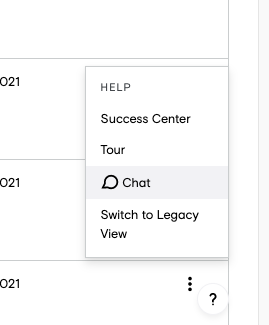
You can report issues/bugs by chatting with a support agent live. Live chat is available while logged into ADAP. It can be accessed by clicking on the "?" in the bottom left corner and select live chat.
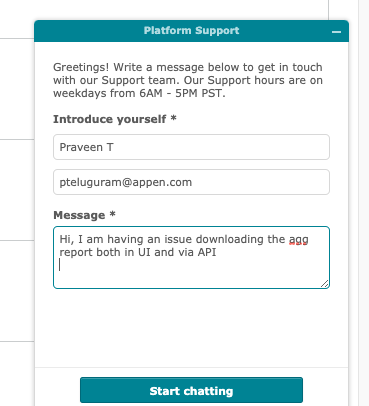
Add a brief description of the issue/bug you are reporting and click on Start chatting.
Submit a Ticket
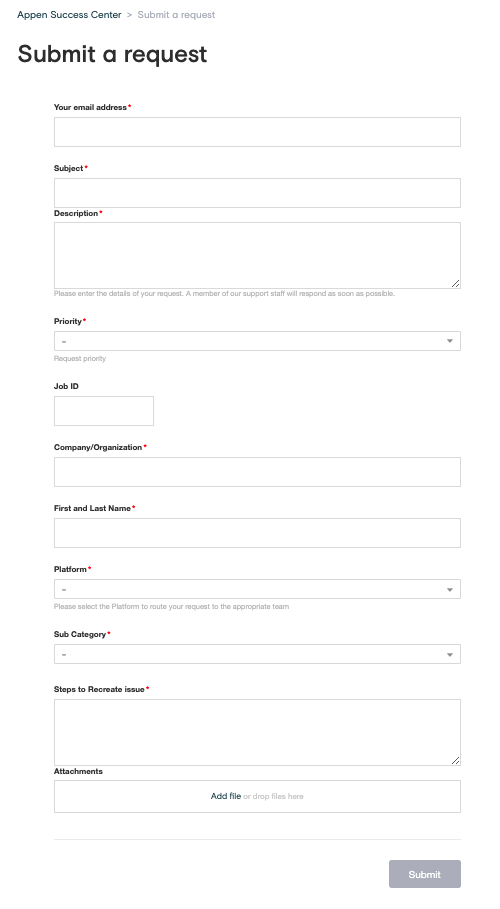
You can create a ticket by going to the Submit a Request page.