Aggregated Results Settings
The aggregation settings allow you to select the aggregation method for each question in your job. Each question will result in a column generated by the job with the set aggregation:
-
Best Answer ('agg') - Returns the highest confidence response
-
All Answers ('all') - Returns every single response inputted
-
Numeric Average ('avg') - Returns a numeric average calculated based on all responses
-
Top # Answers ('agg_x') - Returns the top 'x' responses
-
Bounding Box Aggregation ('bagg_x') - For bounding box image annotation jobs only, returns box responses that overlap above 'x' Intersection over Union (number between 0 and 1)
-
Confidence Aggregation ('cagg_x') - Returns the answers that are above 'x' confidence (number between 0 and 1)
-
Text Annotation Aggregation ('tagg') For text annotation jobs only, returns a link to a json that describes the text, tokens, spans, and each labeled span will get an inter-annotator agreement score titled 'confidence'.
Here is a list of each CML question with their default aggregation methods:
-
cml:text – all answers (aggregation="all")
-
cml:textarea - all answers (aggregation="all")
-
cml:checkbox - best answer (aggregation="agg")
-
cml:checkboxes - best answer (aggregation="agg")
-
cml:radios - best answer (aggregation="agg")
-
cml:select - best answer (aggregation="agg")
-
cml:ratings - numeric average (aggregation="avg")
-
cml:text_anntoation - text annotation aggregation (aggregation="tagg")
Because these aggregations are set by default and are not explicitly written in the raw code:
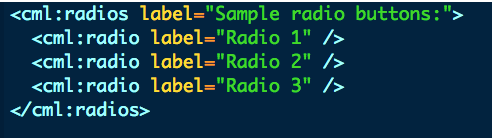
Is identical to:

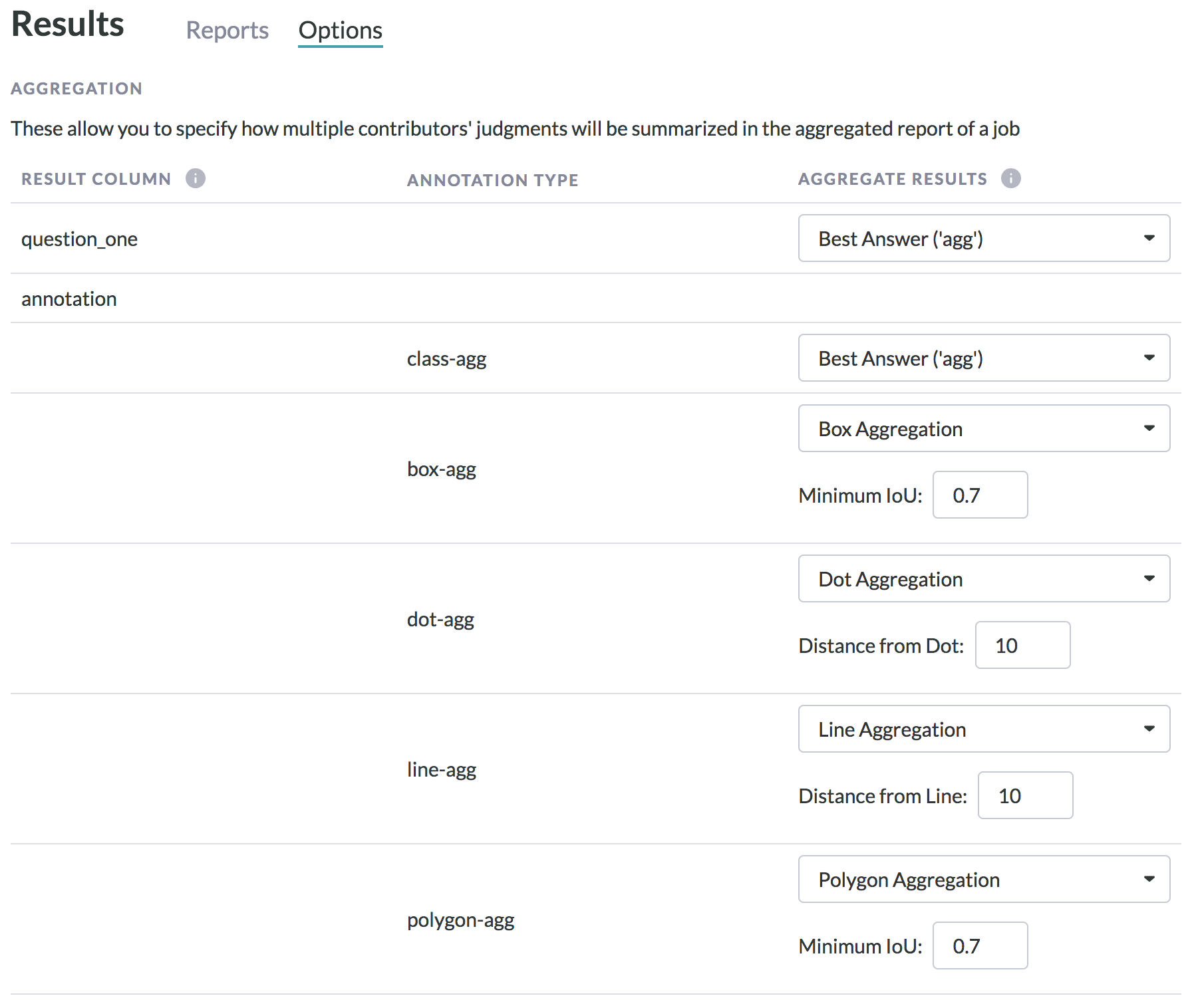
If you’re using the image annotation tool (cml:shapes), you’ll see something like this in your reports page, depending on what shapes are included in the job design. For information on aggregation, refer to the following articles:
• Bounding boxes
• Polygons
• Dots
• Lines